
Product / Workforce
The roster with the money attached.
Plan shifts with their cost at that day’s rate. Clock on from a kiosk or the phone, inside a geofence. Approve timesheets at the rate they were worked, and export to payroll when enabled.
01
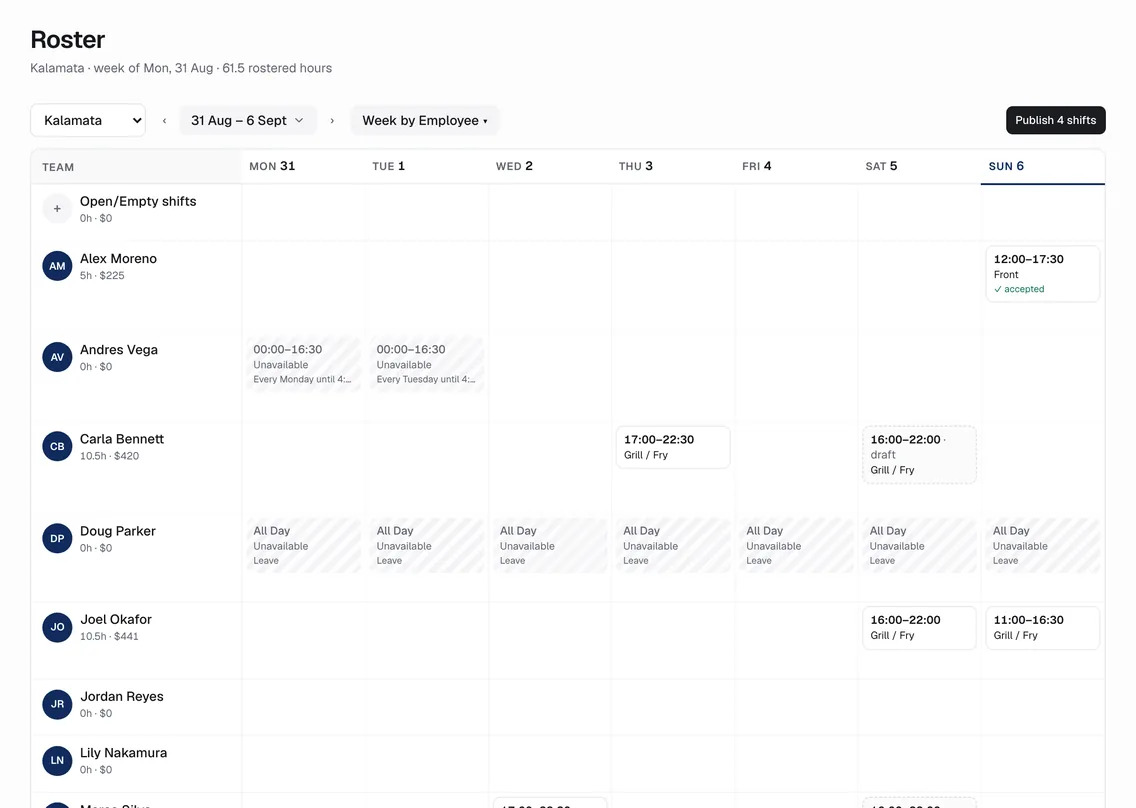
The board shows the cost as you plan
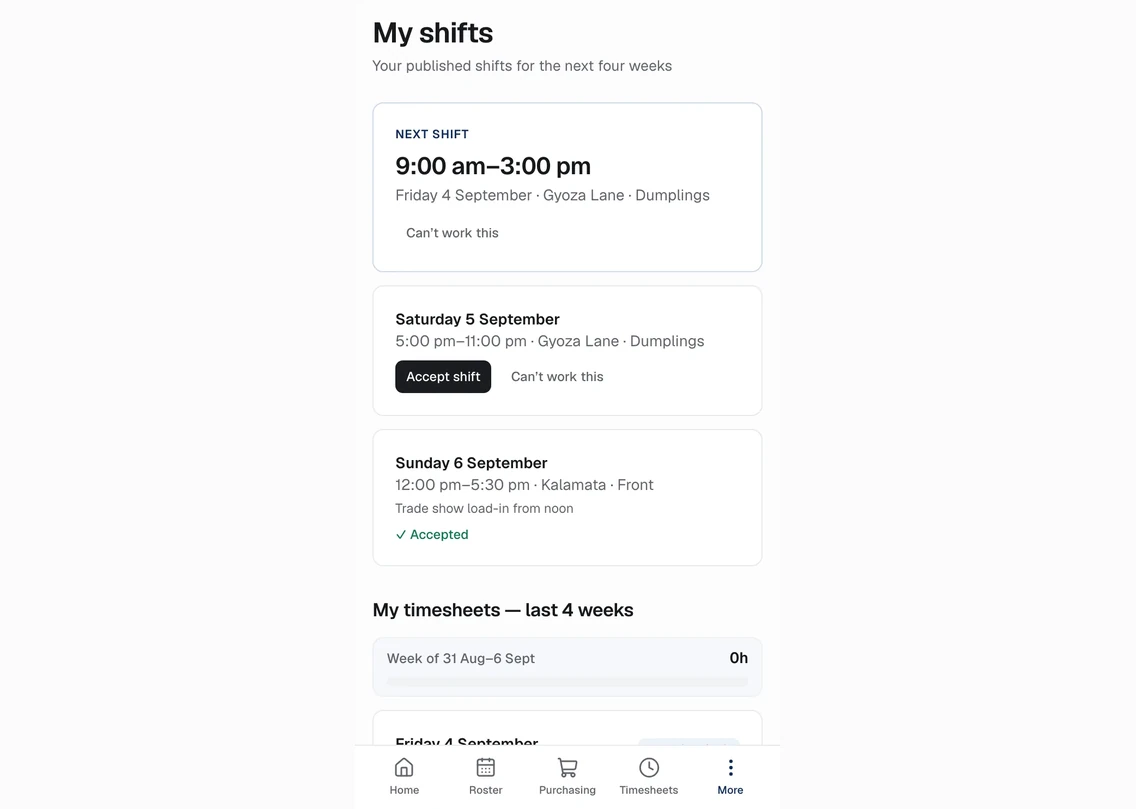
One column per day, shift chips with times and station, hatched unavailability, dashed drafts, a caution on conflicts, hours and dollars per person and per day. Publish releases the week; staff see it and accept it in My shifts on their phone.
02
Clock-on that knows where it is
A tablet on the wall with a name and a PIN, or the phone inside the venue’s geofence. Who’s on shows who is on, on break or late, with labour so far today on the home screen.
03
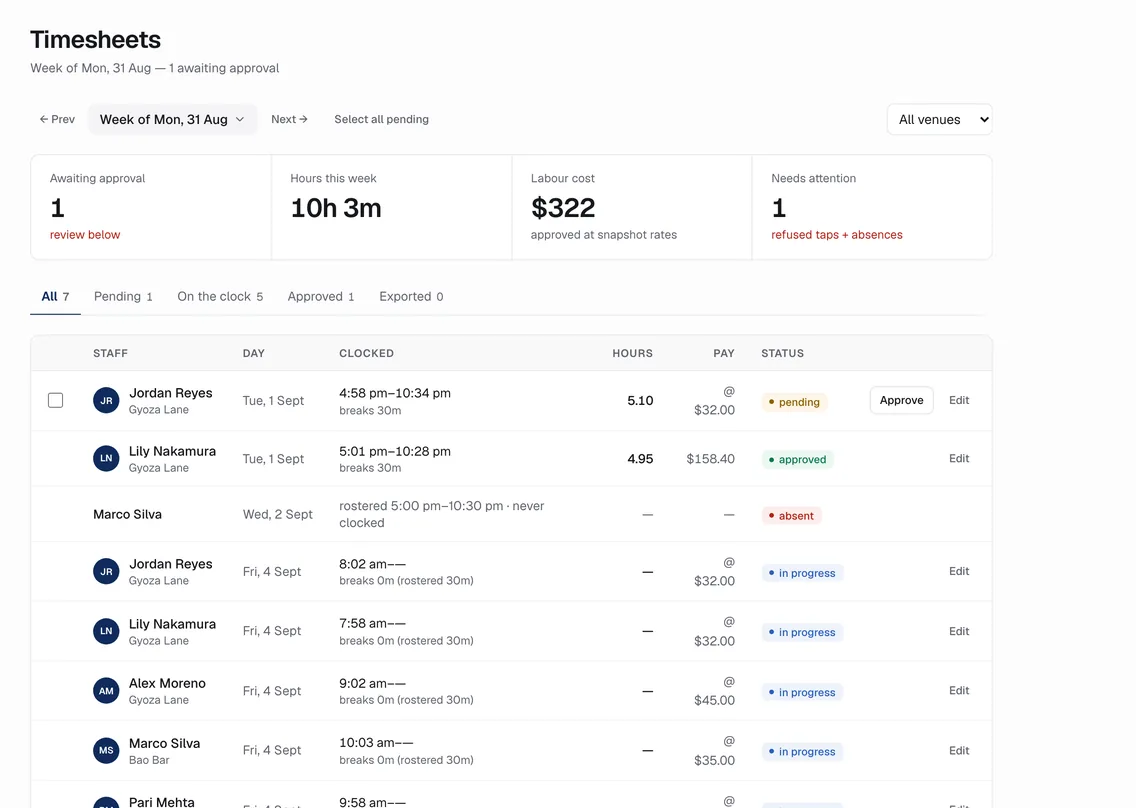
Timesheets you can approve in one pass
See pending, approved, in-progress and absent timesheets, with clock times, breaks, hours and pay at the snapshot rate. Approve all clean, correct the rest, then export to Xero payroll when enabled.
How it works
The rules behind it.
- Snapshot rates
- Pay is computed at the rate effective on the day, not today’s rate
- Super labelled
- Superannuation is shown for illustration; payroll is the system of record
- Audit trail
- Every roster and timesheet change is recorded with who and when
Also in the product
See it on the demo venue group.
No sign-up. Change anything. It only changes for you.